Canonical HTML: https://kueon.com/how-kueon-works
*How it works*
# How Kueon Works
Add competitors. Stay informed.
*Step 01*
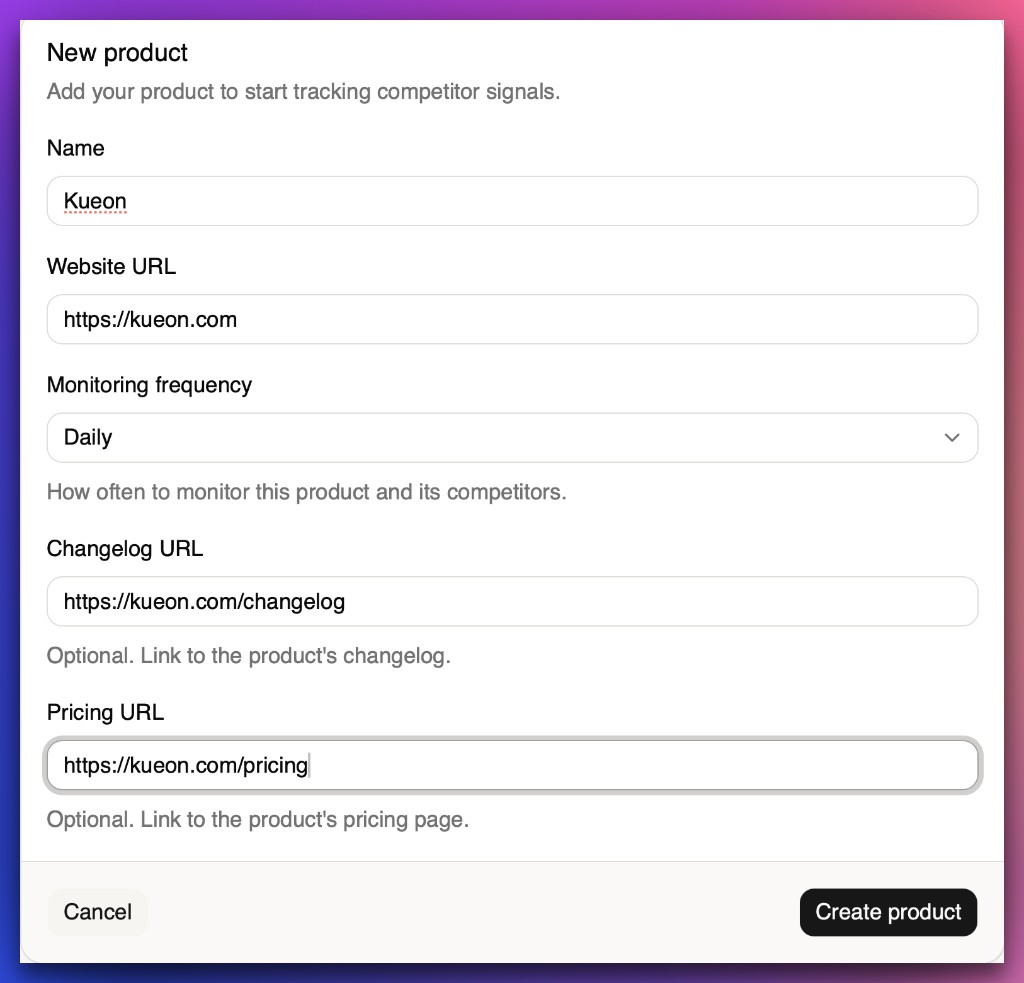
## Create your product
Create the product you want to monitor. This is where you’ll add competitors and see all their updates.
*Step 02*
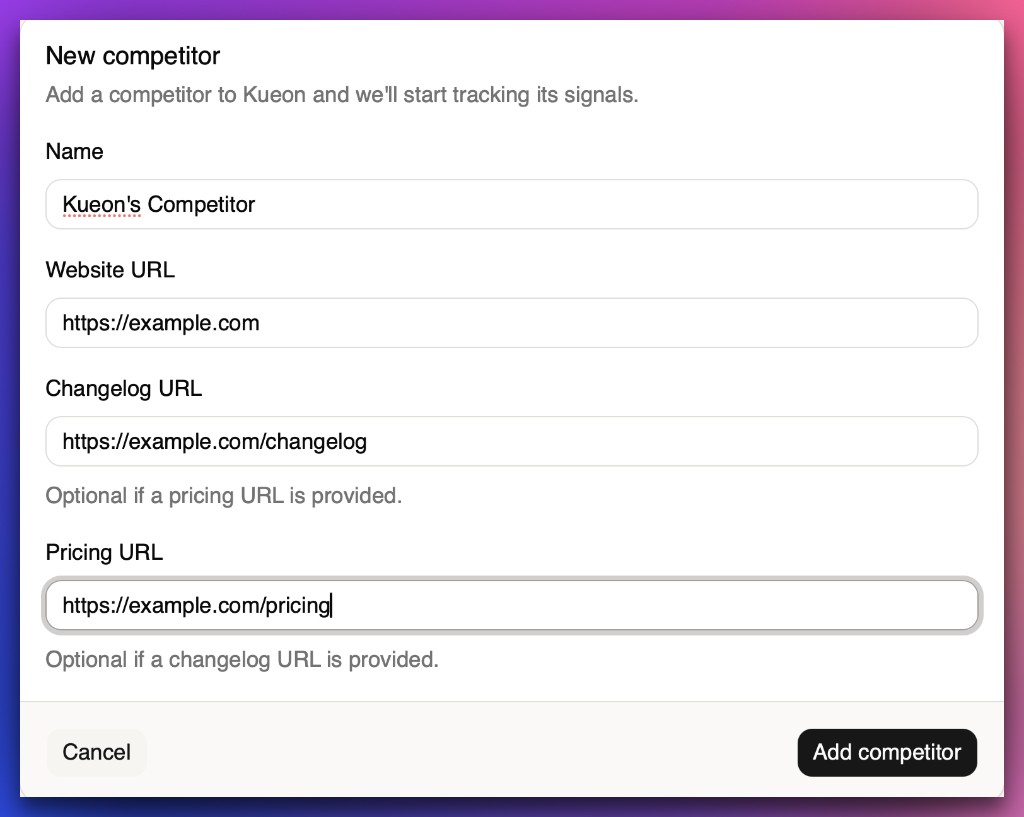
## Add competitors
Add competitors with their pricing page and changelog URLs. Kueon performs the initial scan as soon as a competitor is added.
*Step 03*
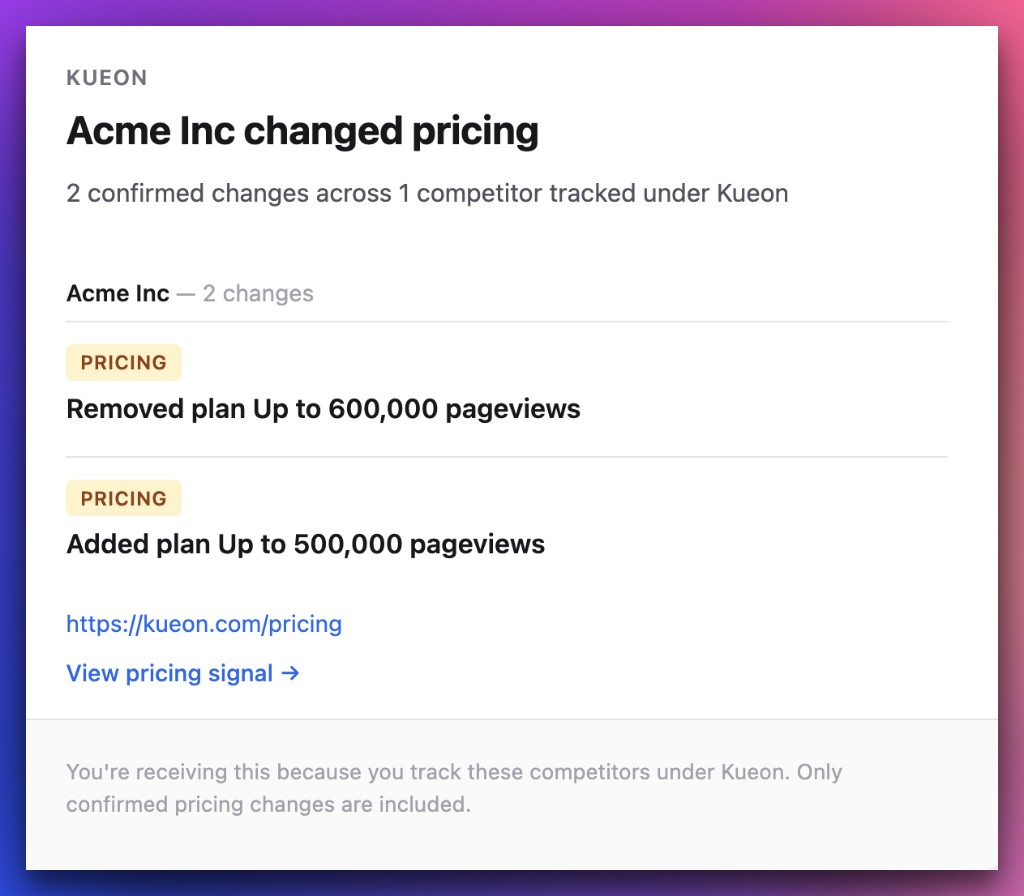
## Get competitors’ pricing and product updates
Kueon monitors your competitors’ pricing and product updates, then emails you when they change their pricing or publish a new update.
We monitor pricing visible on the initial pricing page, interactive pricing states are on the [roadmap](https://kueon.com/roadmap.md).
## Stay informed without the hassle.
Get competitor pricing changes and product updates delivered to your inbox.
[Start free trial](https://app.kueon.com/signup)